Nothing kills focus faster than a dictation tool that makes you retype the next patient’s accession number just to say “normal chest X-ray.” To get through a single day, radiologists rely on multiple applications: scheduling systems, image viewers, reporting tools, and dictation programs. How to keep a radiology workflow efficient? Make sure the exam context moves automatically between systems, so the radiologist does not have to rebuild it by hand at every step. Most of them come from different vendors and each one runs in its own isolated software window. Instead of a smooth path from scan to signed report, doctors spend their energy switching, logging in, and double checking that every tool is pointing to the same study. In radiology, that kind of interruption quickly turns routine reporting into a fragmented process.
The platform we are building together with our customer was designed to put an end to that chaos. It acts like a command center where all the daily tools stay in sync with the study the radiologist is working on. Switch to the next case and everything follows without hesitation. Start dictating and the context is already there. That kind of integration is especially valuable in radiology, where even small delays can disrupt focus and slow reporting throughput.
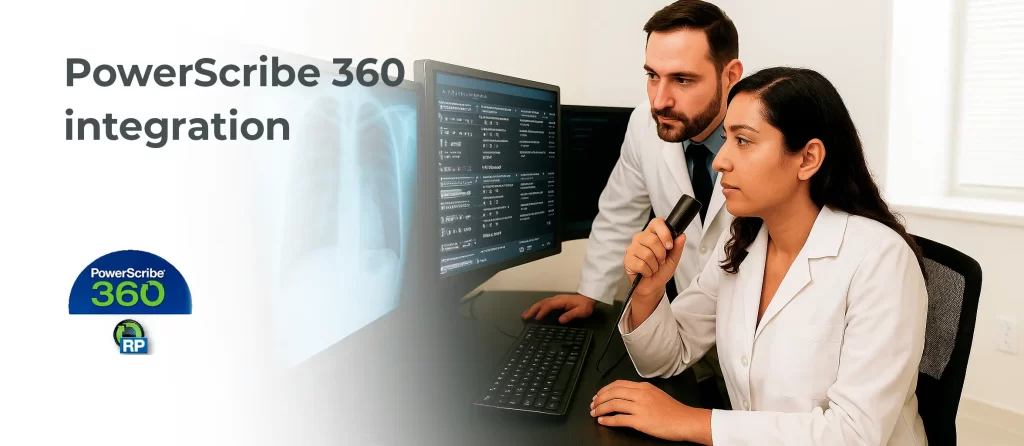
We have hooked this command center into a whole mix of tools that imaging centers use every day. In this post we will zoom in on one of the big ones we brought on board, PowerScribe 360, the go to solution for speech recognition and reporting in radiology. For a radiology platform like this, integration only works when it feels invisible to the user.
The problem before integration
PowerScribe 360 is one of the most widely used tools for radiology reporting. It takes a radiologist’s voice and turns it into structured text, helping them create clinical reports quickly and accurately. In a typical workflow, doctors review images, speak their findings into PowerScribe, and then sign the report so it becomes part of the patient record. In radiology, both reporting speed and report accuracy matter, so any disconnect between systems creates unnecessary risk.
On its own though, PowerScribe did not keep pace with the worklist. Doctors had to repeat steps, manually enter or search identifiers, and close windows by hand just to stay in sync. Reports lived in one world, the queue in another. Without tighter integration, the reporting workflow kept breaking at the exact moment radiology teams needed continuity.
What we wanted instead was simple: a radiologist clicks on the next case, and PowerScribe quietly follows along. Dictation opens in context, statuses flow back to the worklist, and exams close for all users when the job is done. For this radiology use case, the goal of integration was to remove friction without introducing any new manual steps.
How we integrated PowerScribe 360
We taught our platform to do the heavy lifting behind the scenes so PowerScribe felt like part of the workflow. Radiologists no longer had to think about logins, folders, or status files. They simply clicked the next exam and started talking. This integration was designed for real radiology reading rooms, where speed, clarity, and stable reporting flow matter throughout the day. Here is how it works in practice:
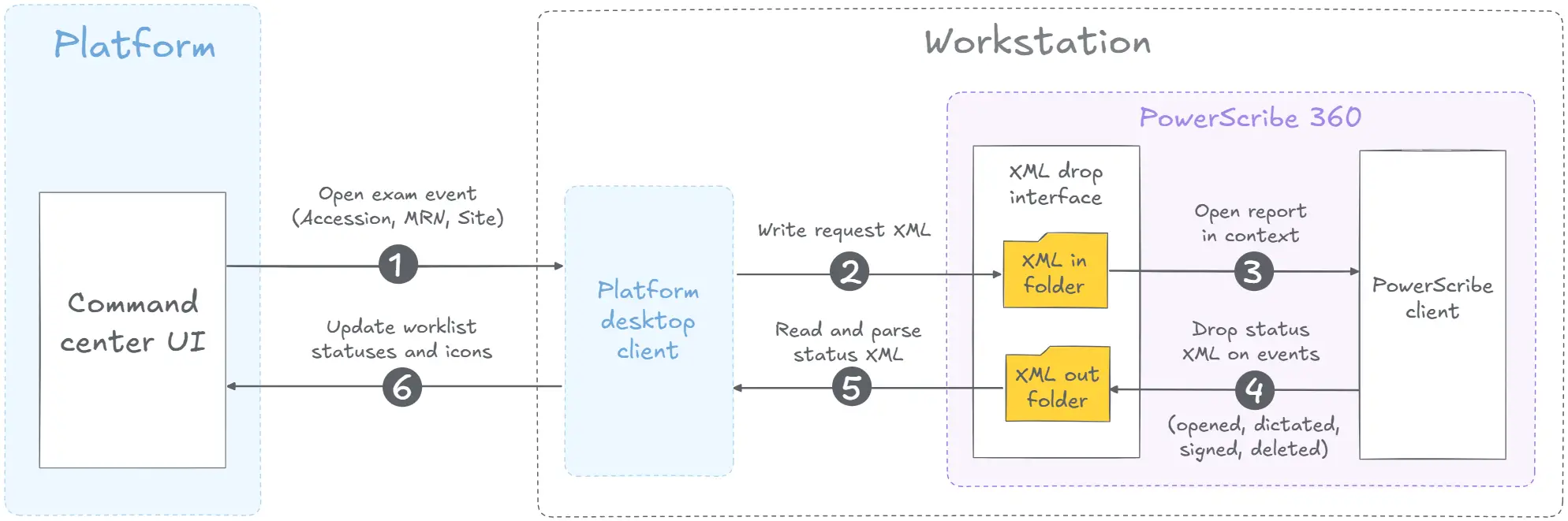
The worklist in the command center sends an open exam event with the exam context to a small desktop client through a secure local API. That client lives on the workstation, installs silently, can auto start with the user session, and acts as the courier. It writes a request XML into the PowerScribe xml_in folder, PowerScribe reads it and opens the report in context. At this stage, the integration ensures that the radiology exam arrives inside the dictation environment without any extra user action.
As the report moves through states such as opened, dictated, signed, or deleted, PowerScribe drops a status XML into xml_out. The desktop client watches that folder in real time, parses each file, and sends clean status updates back to the worklist, which flips icons and advances the queue. The same client can start PowerScribe if it is not running and can keep activity in sync for all logged in users. That closed-loop integration is critical for radiology reporting because the worklist reflects the real report state almost immediately.
Everything travels through short XML messages and an encrypted local channel, so radiologists see one click to open, one place to dictate, and zero manual cleanup. In radiology, this kind of integration turns separate products into one reporting workflow instead of a set of disconnected screens.
The result in numbers
Before integration with PowerScribe, opening a case often took 25 to 35 seconds. Now reports are ready in less than 8 seconds. For a radiologist handling 40 to 50 studies daily, this frees up about 15 minutes each shift, and across a team the gain adds up to hours every day. For radiology teams, the integration gain is not only faster access, but also more stable reporting throughput across the full shift.
The real outcome is a lighter workload for the doctors. Less time spent waiting on software means more focus on reviewing images and crafting precise reports. With fewer interruptions and smoother flow, the risk of mistakes decreases and patients receive their results faster and with greater accuracy. When the report opens in context and reporting status returns automatically, radiology specialists can stay focused on interpretation instead of software navigation.
How to build better radiology reporting integration
- Start with the radiology worklist, because good integration begins where radiologists actually move from case to case.
- Pass the full exam context automatically, so the report opens in the right place without manual search or re-entry.
- Keep reporting status synchronized in real time, because radiology teams need the worklist and the report state to match.
- Use lightweight local components when needed, since this can make integration with workstation software more reliable.
- Design the integration around the user’s flow, not around vendor boundaries, so radiology staff experience one continuous workflow.
- Make the reporting feedback loop immediate, because fast report visibility helps the next case move without confusion.
- Treat every radiology integration as a production workflow problem, where uptime, security, and report consistency matter as much as feature coverage.
Let’s make it work as one
This is what we build. We connect everyday clinical tools into one flow that scales to new sites and stays secure. EHR and scheduling, imaging and viewers, dictation and reporting, HL7 and FHIRCast services, admin friendly configuration. Different vendors, one consistent experience. That is the standard we aim for in every radiology integration project. Whether the need is reporting, viewers, worklists, or surrounding services, our integration approach is built for production radiology environments.
If you want your workflows to run this smoothly, let us help. We bring predictable delivery, clear communication, and integrations that hold up in production. Tell us about your environment and we will show you a plan that works.